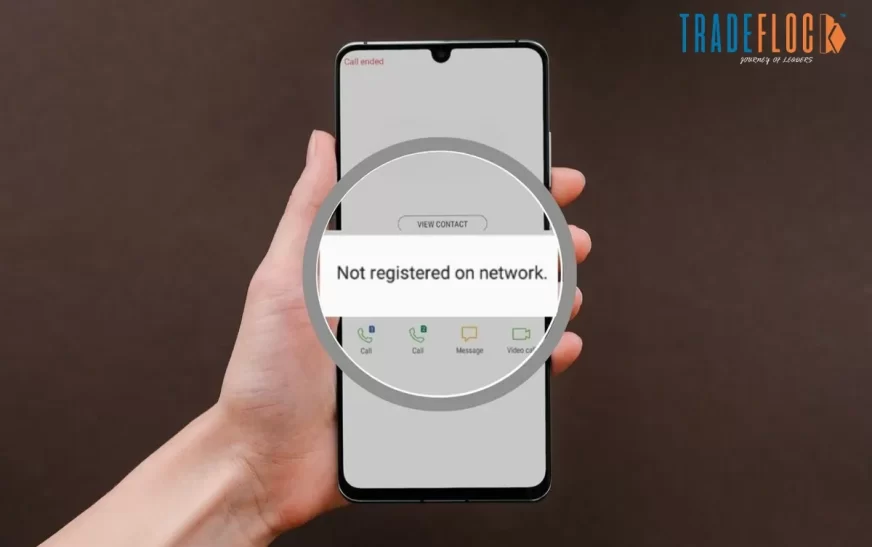
Mobile phones have become an essential part of our daily lives, so it can be frustrating when your device suddenly displays ‘Not Registered on Network’. Ever happened to you? If not, then it shouldn’t be. This prevents you from making calls, sending texts, or using mobile data, even when the signal bar appears on the screen.
The good thing is that this issue is usually fixable without professional help. However, until you try the right troubleshooting steps, it can be unclear why your phone isn’t working. In this guide, we’ll explain the meaning of the ‘Not Registered on Network’ error, why it appears, tips to fix it and prevention for the future.
What is the ‘Not Registered on Network’ Error?
The error ‘‘Not Registered on Network’ means that your mobile phone is not connected to your carrier’s network. In simple terms, your SIM card fails to register with the service provider, which blocks cellular services such as calling, SMS, and mobile data.
This issue can occur on both Android and iPhone, and is often seen after Software updates, SIM changes, or while travelling. Even if your SIM card is active and your phone is working properly, the network authentication process may still fail, resulting in a ‘Not Registered on Network’ error.
Common Causes of ‘Not Registered on Network’ Error
Understanding the root cause can help with troubleshooting and prevent recurrence. Below are the most common reasons behind this issue.
1- Improper SIM Card Placement
If the SIM card isn’t inserted correctly, isn’t aligned, or is dirty, the phone may not detect it, resulting in a network registration failure.
2- Network Coverage Issues
Poor signal strength or temporary network outages can prevent your phone from registering with the carrier, especially in remote or crowded areas.
3- Incorrect Network Settings
An incorrect network mode (e.g., LTE-only) or manually selected networks can interfere with automatic network registration and result in a ‘Not Registered on Network’ error.
4- Software Bugs or Outdated OS
System glitch, corrupted updates, or outdated software can cause communication issues between your device and the carrier.
5- Blocked or Invalid IMEI Number
If your phone’s IMEI number is blocked or missing, the carrier may deny network access entirely. This often happens with imported or unofficial devices.
6- Carrier or Roaming Issues
When roaming or switching carriers, network registration may fail if roaming is disabled or the carrier does not support the device.
These may be the cases when you can receive the ‘Not Registered on Network’ error message.
Tips to Fix ‘Not Registered on Network’ Error
Let’s understand how to fix the issue without taking your phone to the Customer Care Centre or a technician.
1- Restart Your Phone
A simple restart can fix temporary software glitches and force the phone to reconnect to the network.
2- Toggle Airplane Mode
Enable Airplane Mode for 30 seconds and turn it off. This refreshes all network connections and often resolves registration errors.
3- Reinsert the SIM Card
Power off your phone, remove the SIM card, gently clean it, and reinsert it properly. Make sure it sits correctly in the tray.
4- Select Network Manually
Go to Settings > Mobile Network > Network Operators, then manually select your carrier instead of automatic selection.
5- Change Network Mode
If ‘Not Registered on Network’ still persists, switch between LTE/3G/2G or set the network mode to automatic to allow your phone to connect to the best available signal.
6- Reset Network Settings
Resetting the network restores default configurations for Wi-Fi, Bluetooth, and mobile networks without deleting personal data.
7- Update Phone Software
Check your system updates; it may have some problems sometimes that result in ‘Not Registered on Network’ error.
8- Check IMEI Number
Dial *#06# to verify your IMEI number. If it’s missing or blocked, contact your carrier immediately.
After following these tips, hopefully your mobile start working.
Preventing ‘Not Registered on Network’ in the Future
While a network issue is unavoidable, you can take a few precautions to reduce the likelihood of encountering this error.
- Update your phone software regularly
- Avoid installing unofficial firmware or custom ROMs
- Handle SIM carefully and replace damaged ones
- Use Unblocked Phones Compatible With Your Carrier
- Enable roaming settings before travelling internationally
- Periodically reset network settings for better stability
If the problem persists after following all troubleshooting steps, contact your mobile service provider or visit an authorised service centre, as the issue may be related to hardware or account-level restrictions.
Resolving ‘Not Registered on Network’
Errors like ‘the number you have dialed has calling restrictions’ and ‘Not Registered on Network’ error can be annoying, especially when you need to contact someone immediately. One positive aspect is that it’s not permanent. By understanding the causes and applying the right troubleshooting steps, you can quickly restore your network connection. Start with simple solutions, such as restarting your phone and checking your SIM card, before moving on to advanced fixes. With proper care and preventive measures, you can avoid this issue and maintain uninterrupted mobile connectivity.